
Home » X-ray Equipment Servicing Schedule
How long does preventative maintenance or equipment servicing take? A realistic breakdown
This isn’t a casual question. Equipment downtime directly affects patient bookings, practitioner utilisation, staff workflows, and revenue.
Poor planning around X-ray equipment servicing leads to cancelled appointments, frustrated staff, and avoidable disruption.
This article explains how long servicing actually takes across all major clinical equipment types, what impacts service duration, and how we structure servicing to minimise downtime across every vertical we support.
🔈 Listen as podcast
Title: X-ray Equipment Servicing Schedule
Duration: 01:27

Downtime is the real cost, not the service itself.
From an accreditation perspective, X-ray equipment servicing requires documented checklists, safety testing, output verification, and formal reporting.
From a clinic perspective, none of that matters if the room is offline longer than necessary.
Many service providers still operate with outdated workflows, completing paperwork in the room, working slowly through checklists while equipment sits idle, or treating servicing as an administrative task rather than an operational one.
Our approach is different. Medic Cloud’s field engineers are experienced across a wide range of manufacturers, models, and clinical environments. That experience allows us to prioritise mechanical servicing first, restore the equipment to service as quickly as possible, and complete reporting and documentation off-site.
The outcome is simple: we still give you the same time and attention however with less downtime, less disruption, and better continuity of care from your clinics side.
What equipment servicing covers (and what it doesn’t)
Unless explicitly scoped otherwise, the service times below relate to mechanical and electrical preventative maintenance only.
This includes:
- Structural and visual inspection
- Electrical and wiring checks
- Mechanical movement and rotation testing
- Safety inspections
- Radiation output consistency verification
- Generator and system integrity checks
- Tube to generator calibrations
- Lubrication / high tension grease when and where required
Servicing does not include X-ray software updates, X-ray software or image backups, X-ray system upgrades, or configuration changes unless specifically requested. Servicing of systems is also not to be utilised for breakdowns and repairs. Those are all separate activities and should be planned independently.
Typical servicing timeframes by equipment type
Intraoral X-ray Units
Allow approximately 1 hour per unit.
Servicing typically includes:
- Wiring inspection
- Head rotation and movement checks
- Inspection for cracks or structural fatigue
- Electrical safety verification
- Radiation output consistency testing versus console settings
Because these units are compact and mechanically simple, downtime is usually minimal when the room is prepared properly.
OPG and CBCT systems
Allow approximately 1.5 to 2 hours per unit.
The actual time depends on:
- Make and model
- Age of the system
- Service history
- Scope of preventative maintenance required
If a Ceph or similar safety attachment is fitted, allow an additional 30 minutes.
These systems are more complex, but with experienced engineers, servicing can be completed efficiently without unnecessary delays.
Chiropractic plain film X-ray systems
(Wall bucky, tube stand, generator, and DR panel)
Allow up to 2 hours.
In a well-maintained, tidy room, servicing can often be completed within 1 hour.
The biggest cause of delays in chiropractic environments is not the equipment it’s the room condition. Poor access, clutter, stored items around the bucky or tube stand, and blocked movement paths slow everything down.
Clinics are strongly advised to ensure rooms are clean, clear, and ready before the engineer arrives.
Radiology X-ray rooms
(Wall bucky, tube stand, table bucky, generator, detectors, console/operator area)
Allow up to 2 hours for preventative maintenance.
Again, this is a maximum allowance. In many cases, servicing is completed faster depending on room condition and system layout.
Our focus is always to restore operational use as quickly as possible and finalise documentation once we’re off-site.
Ultrasound systems
Allow approximately 1 to 2 hours, depending on the number of probes.
In many cases, servicing can be completed within 1 hour.
Probe inspection, cabling checks, image quality verification, and safety checks are prioritised first, with reporting completed later to minimise room downtime.
DEXA systems
DEXA servicing varies more than most equipment types.
For standard preventative maintenance, allow 1.5 to 2 hours.
If the system is due for annual or biannual calibration, allow up to 4 hours. Calibration time is fixed and cannot be rushed without compromising accuracy or compliance.
Clinics should plan accordingly when booking calibration-due services.
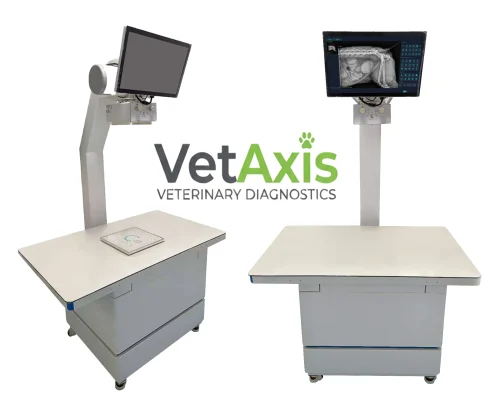
Veterinary X-ray systems
Veterinary environments generally fall into two servicing categories, and both are straightforward when properly prepared.
Portable veterinary X-ray systems typically require approximately 1 hour to service. This includes inspection of cabling, generator integrity, exposure control verification, safety checks, and output consistency testing. Due to their simplicity and mobility, downtime is minimal.
Fixed veterinary X-ray systems consisting of a dedicated vet table, tube stand, and generator are serviced in the same manner and within the same timeframes as a full radiology X-ray room. Clinics should allow up to 2 hours for preventative maintenance.
As with all fixed systems, room access, layout, and preparation play a significant role in how quickly servicing can be completed.
Medic Cloud prioritises restoring operational use first and completes documentation and reporting off-site to minimise disruption to veterinary workflows.
Administrative reporting and accreditation documentation
Servicing doesn’t end when the engineer leaves the room.
Service reports, compliance related documentation, and accreditation records are time-consuming but mandatory. Clinics should typically allow approximately 1 hour for administrative reporting per equipment.
The difference is where that time is spent. We do not unnecessarily extend equipment downtime to complete paperwork in the room. Reports are typically finalised back at the office and provided to the clinic as part of the service outcome.
Call-put and travel time considerations
In metropolitan Melbourne, Sydney, Adelaide, Perth and Brisbane, clinics should allow approximately 1 to 1.5 hours for call-out and travel time in addition to servicing time.
Regional and remote locations may require additional allowances, which should always be discussed upfront.
How clinics can help minimise downtime
The fastest service is a prepared service, we strongly recommend clinics:
- Ensure rooms are clean and uncluttered
- Remove stored items around equipment
- Ensure clear access to generators, buckys, and tube stands
- Notify staff of service timing to avoid interruptions
- Avoid booking in patients during a service call
If possible, book out the X-ray system from within your practice management system so it is very clear and evident to all staff that are working in the clinic on the date of service and it minimises interruption to the service process.
Simple preparation can easily shave 30–60 minutes off a service visit.
The Bottom Line, equipment servicing does not need to cripple clinic operations. With experienced engineers, proper planning, and a workflow that prioritises uptime over paperwork, most services can be completed quickly, efficiently, and with minimal disruption.
In summary, the below table can be used as a reference point.
That is exactly how we operate.
We service first.
We restore uptime fast.
We handle paperwork and reporting properly without wasting your clinic’s time.
Preventative maintenance table reference point

Preventative maintenance table reference point.
Final and critical clarification: Preventative maintenance or servicing is not a repair or breakdown call-out
Preventative maintenance and X-ray equipment servicing are not the same as a repair or breakdown call-out, and the distinction matters.
A preventative service is designed to inspect, test, verify, and maintain equipment that is operating normally. It is not intended to diagnose active faults, intermittent failures, error conditions, image quality issues, or system shutdowns that are already occurring.
If a clinic is experiencing faults, warnings, performance issues, unusual noises, exposure inconsistencies, detector issues, software alerts, or any abnormal behaviour prior to the site visit, this must be disclosed at the time of booking.
Failure to advise of known or suspected issues can result in the visit being scoped incorrectly as a preventative service, when it should have been treated as a repair or breakdown call-out. This impacts time allocation, tooling, parts availability, and ultimately resolution time.
To ensure the correct outcome, clinics must notify Medic Cloud in advance of:
- Any error messages or system alerts
- Image quality degradation
- Exposure or output inconsistencies
- Mechanical movement issues
- Generator faults or intermittent behaviour
- Prior shutdowns or resets
- Any concerns raised by staff or practitioners
When issues are declared upfront, the visit can be correctly classified, additional time can be allocated if required, and the engineer can arrive prepared to resolve the fault, not just inspect the system.
Preventative maintenance keeps compliant systems compliant.
Repairs and breakdowns restore faulty systems to operation.
Treating one as the other creates delays, repeat visits, and unnecessary disruption — something we actively work to avoid when clinics communicate clearly.
The fastest resolution always starts with the right classification.
Contact us today on 1300 658 103 for a conversation about preventative maintenance.
Read more blogs



Subscribe to Medic Hub
Get the latest insights direct to your inbox.
